Er was een probleem met het laden van de reacties.

How to Reply to Email in Mozilla Thunderbird

Support Portal  »  Kennisbank  »  Bekijkt artikel

Printen

You can reply to an email using Mozilla Thunderbird instead of the cPanel Webmail.


1. Open Mozilla Thunderbird.
mozilla-thunderbird-cpanel-icon.gif


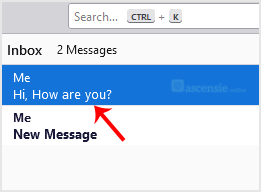
2. Click on the email you wish to open twice.
open-email.gif


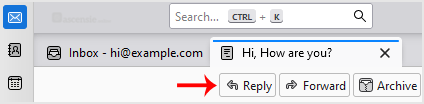
3. Click on Reply.
reply-to-email.gif


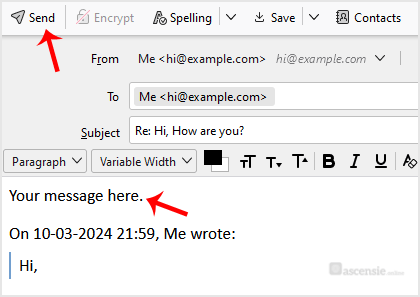
4. Type your message in the message box and click on Send.
send-reply-mozilla-thunderbird.gif


Deel via
Is dit artikel zinvol?

Reacties

Voeg Reactie toe

Beantwoorden aan  


Self-Hosted Help Desk Software by SupportPal
© Zentic