Een verse WordPress-installatie bevat voorbeeldreacties en -berichten. Je kunt deze eenvoudig als volgt verwijderen.
- Log in op het WordPress-dashboard.
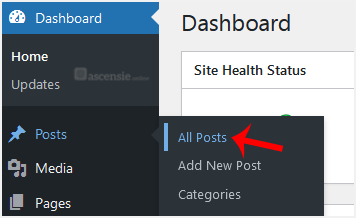
- Ga in het dashboardmenu naar Berichten en klik op Alle berichten.
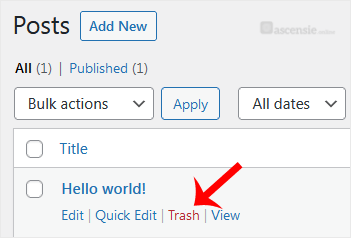
- Beweeg de muis over het voorbeeldbericht en klik op Prullenbak.
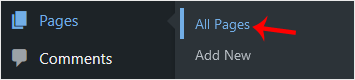
- Doe hetzelfde met de voorbeeldpagina's. Ga naar Pagina's en verwijder de voorbeeldpagina's.
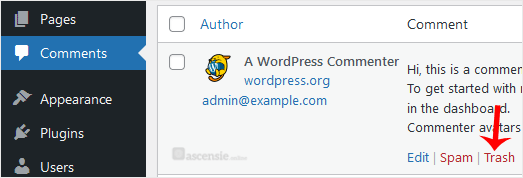
- Verwijder op dezelfde manier de voorbeeldreacties. Kies Reacties in het dashboard, beweeg de muis over een reactie en kies Prullenbak.
Na deze stappen is je blog vrij van voorbeeldreacties en -berichten.

