E-mail doorsturen naar externe e-mailproviders
Printen
- Log in op je SiteWorx-account.
- Klik in de sectie Email op Aliases.

- Klik op het Plus-icoon.

- Vul de volgende gegevens in:
- E-mail Address: Voer de gebruikersnaam van je e-mailadres in, bijvoorbeeld john. Kies bij meerdere domeinen het juiste domein uit het dropdownmenu.
- Forwards To: Voer het e-mailadres in waarop je de doorgestuurde e-mails wilt ontvangen.
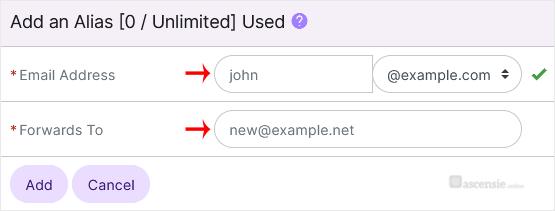
- Klik op Add.
Reacties
© Zentic

