- Log in op je Plesk-account.
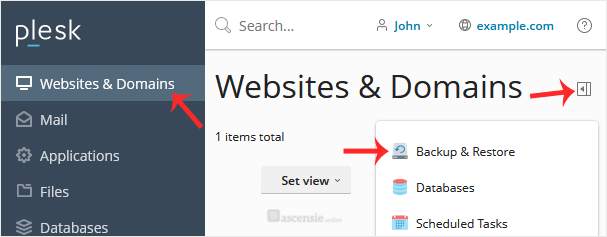
- Ga naar Websites & Domains > klik op het Pull-icoon > kies Backup & Restore.
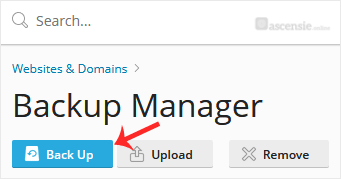
- Klik onder Backup Manager op Back Up.
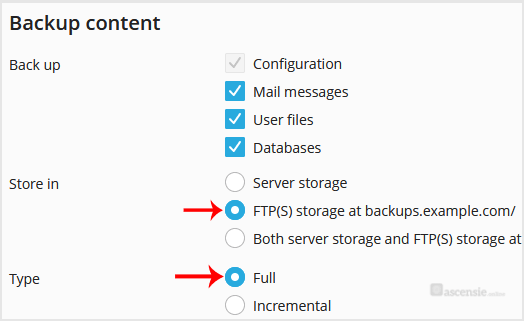
- Kies het back-uptype.
- Vink Exclude specific files from the backup aan.
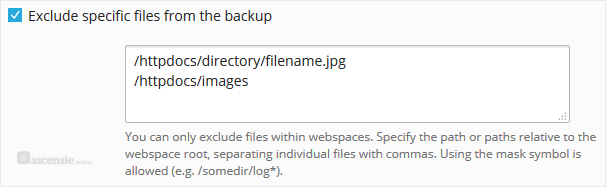
Voer het pad in van het bestand dat je wilt uitsluiten, bijvoorbeeld:
/httpdocs/directory/filename.jpg
Om een hele map uit te sluiten, voer je in:
/httpdocs/images
Om alleen specifieke extensies zoals PNG uit te sluiten, voer je in:
/httpdocs/images/*.png
- Bevestig met OK. De back-up wordt op de achtergrond gegenereerd. Je kunt op dit moment de pagina verlaten.

