Je kunt een IP-adres op de blacklist zetten om toegang tot je website te weigeren.
- Log in op je cPanel-account.
- Klik in het gedeelte Security op IP Blocker.

- Voer onder Add an IP or Range het IP-adres in dat je wilt blokkeren.
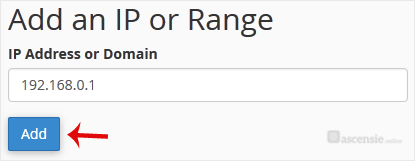
- Klik op Add.
Voorbeelden:
- Enkel IP-adres: 192.168.0.1
- Bereik: 192.168.0.1-192.168.0.40
- Impliciet bereik: 192.168.0.1-40
- CIDR-notatie: 192.168.0.1/32
- Impliceert: 10.*.*.* — 192.

