There was a problem loading the comments.

How to Rename an FTP Username in Plesk

Support Portal  »  Kennisbank  »  Viewing Article

  • 20-05-2025 19:35
Print


1. Log in to your Plesk account.


2. Click on Websites & Domains from the Sidebar Menu.

plesk-websites-and-domains-menu.gif


3. Under the list of Domain names, click on the appropriate domain name.
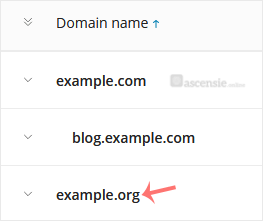
plesk-click-on-domain.gif


4. From the Dashboard, under the Files & Databases section, click on FTP.
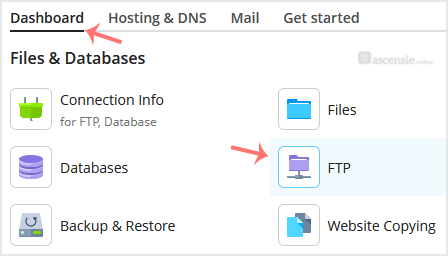
plesk-ftp-icon.gif


5. Click on the appropriate FTP account.

plesk-ftp-account-click.gif


6. Enter the new FTP name in the FTP account name field and confirm with OK.

plesk-ftp-rename-final.gif


Share via
Did you find this article useful?

Comments

Add Comment

Replying to  


Self-Hosted Help Desk Software by SupportPal
© Zentic